
By default, it comes with both UE4 and UE5 skeletons, in this tutorial we will change the unreal mannequin with a custom character.
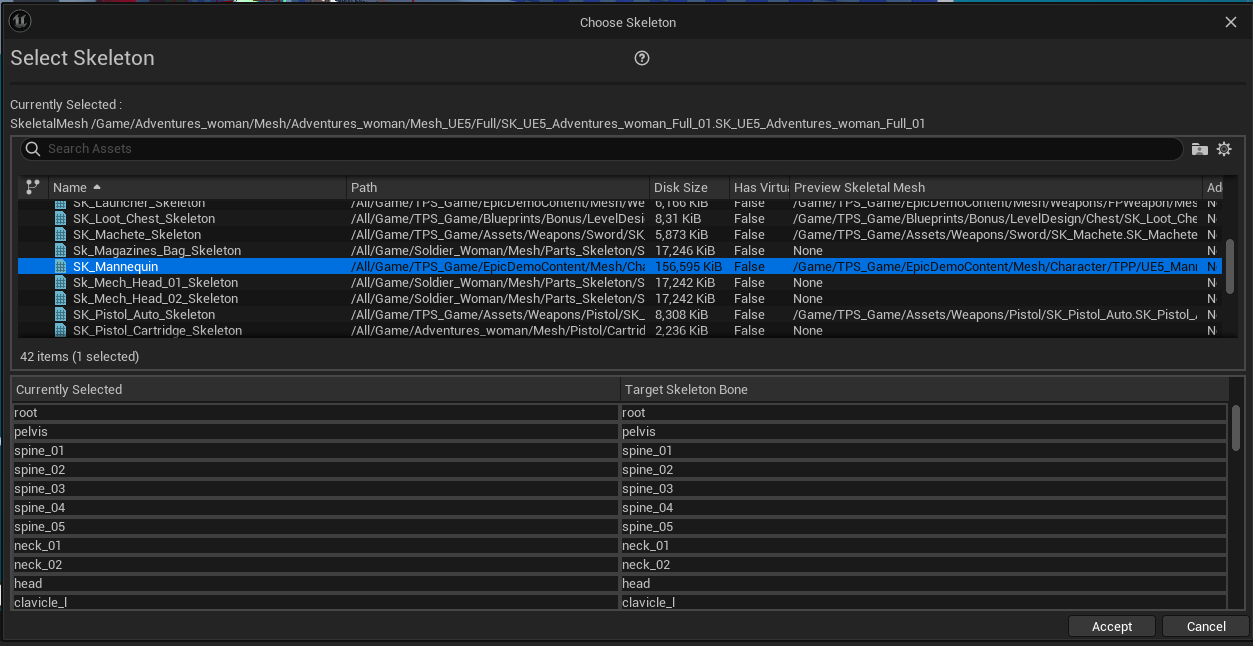
1. Locate your characters mesh, right click on it, choose assign skeleton

UE5 skeleton picture:

2. From the list, pick either UE4 or UE5 skeleton that comes with the asset (this depends on your skeletal mesh, for custom skeletons create a new IK rig for it and set it up like the included UE5 character and animbp example)

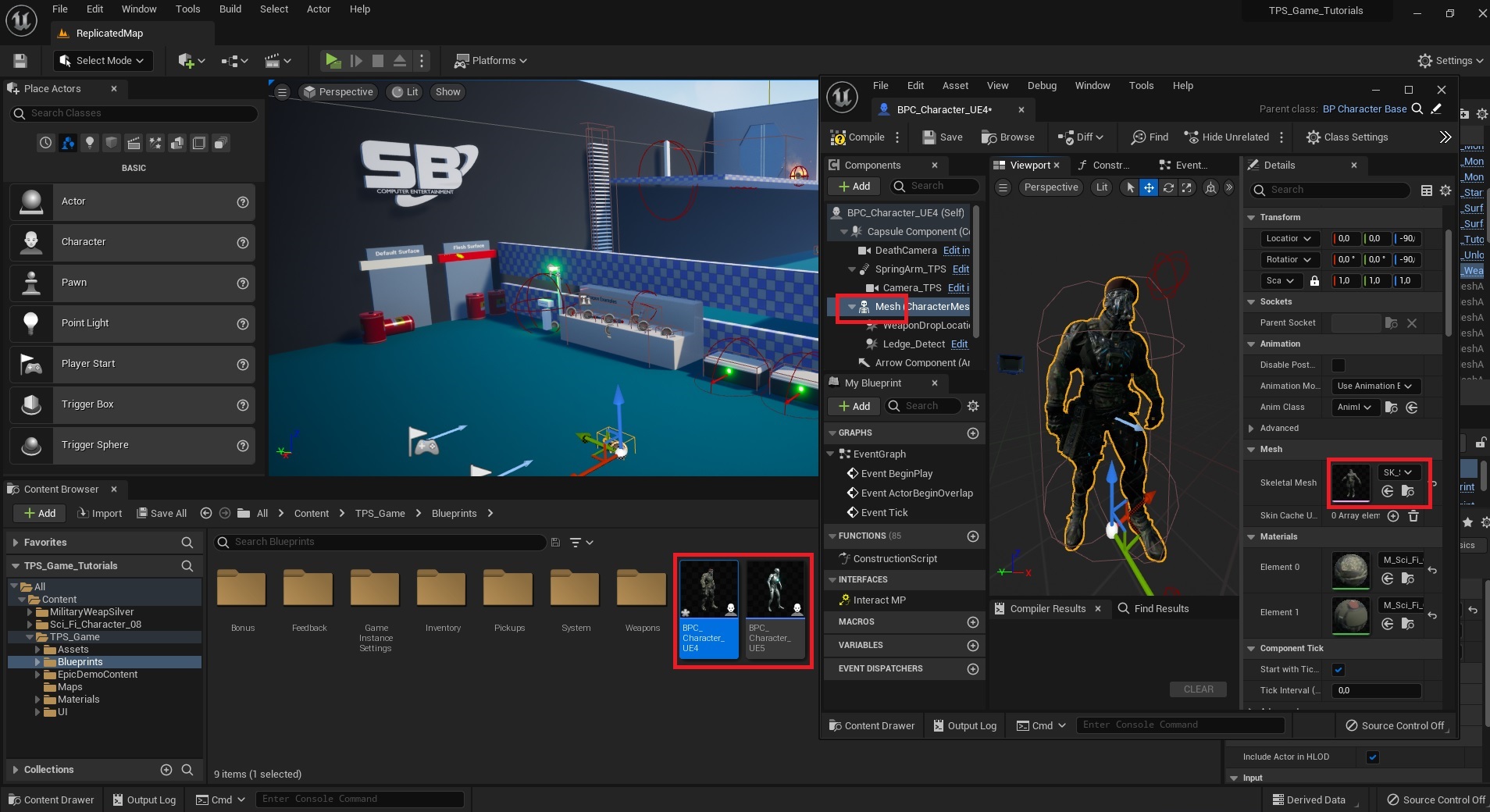
UE5 skeleton picture:
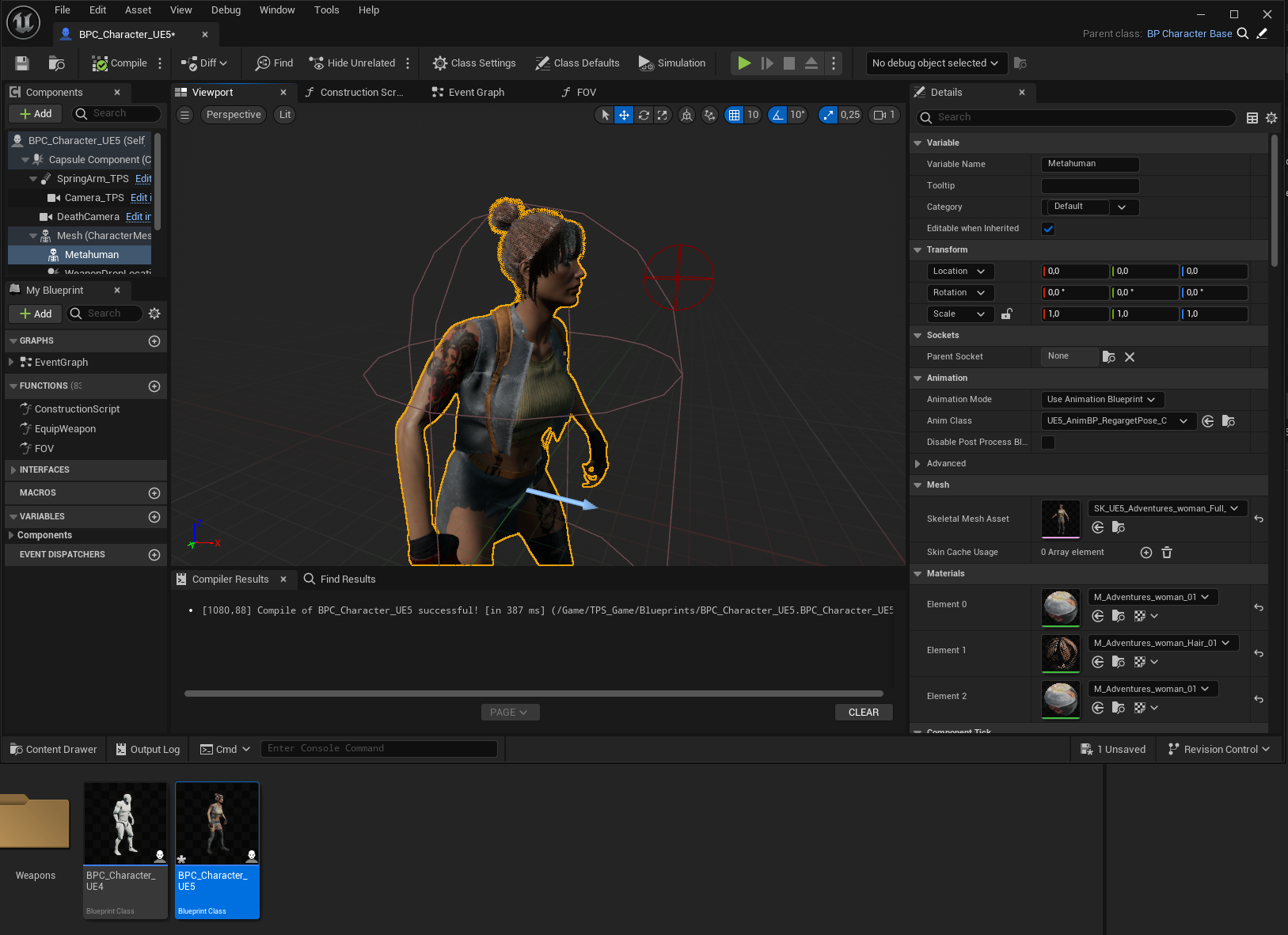
3. Open the UE4 (or UE5) character child class and simply swap out the mesh
UE5 skeleton picture:
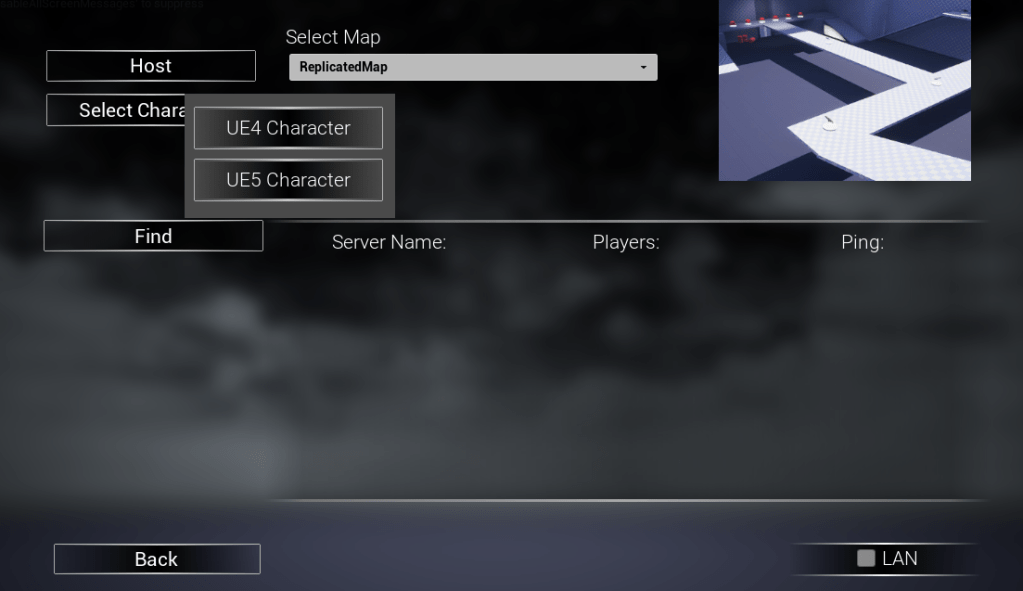
4. In the Main Menu before starting the game, select a character
That’s it!
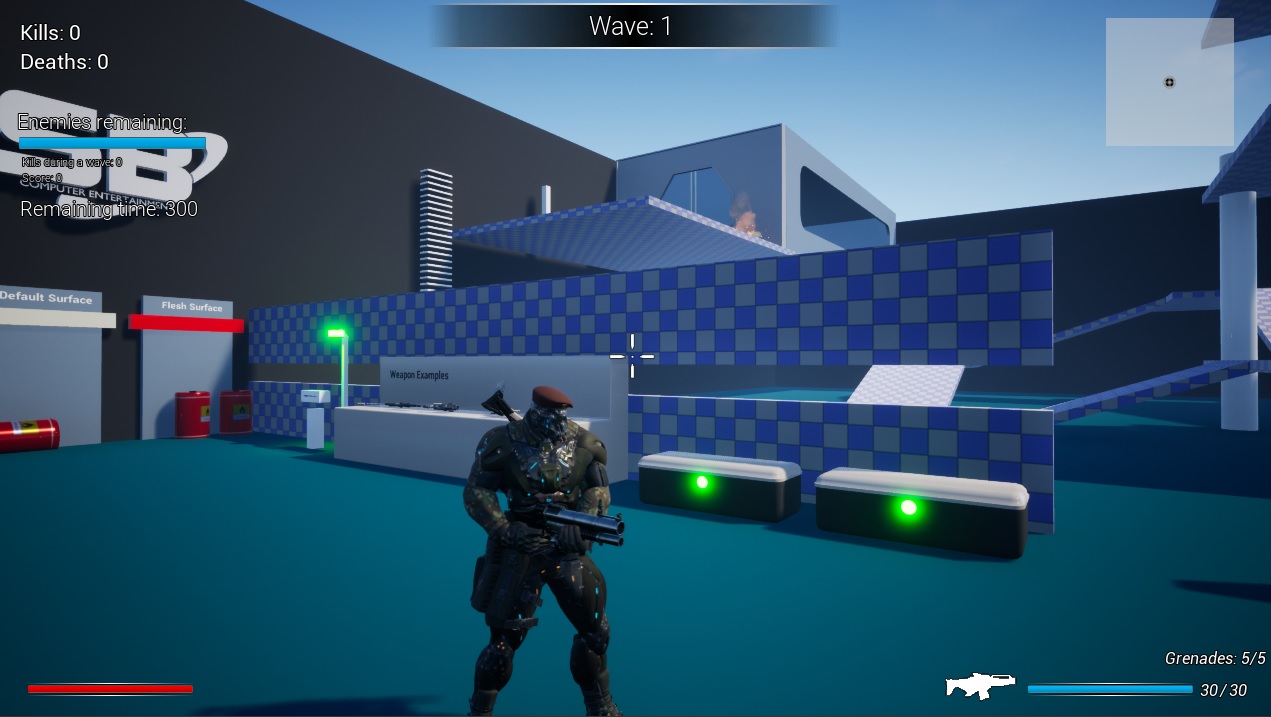
Note: if you are using a custom skeleton and AnimBP, make sure your skeleton has the grip point sockets like the included example.
 FPS Game Starter Kit