
With the latest update a character selection screen has been added. In order to add your own characters to the list you need to do 2 things:
1. Create a new character child class (change mesh, and other things you want)

(These two in the picture above are character child classes, you can duplicate any of those)
2. Open the W_SelectCharacter widget and add buttons to it that select any of the previously created character child classes and set the variable (like the included 2 examples)
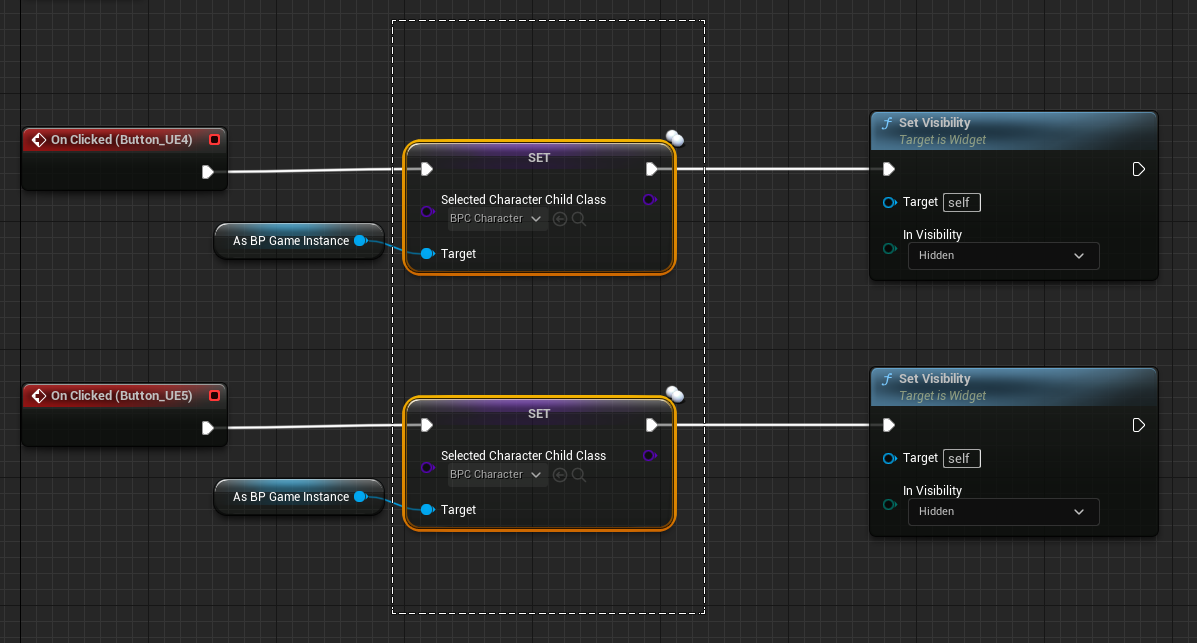
That’s it!

 FPS Game Starter Kit