
This is a somewhat odd tutorial, but hear me out..
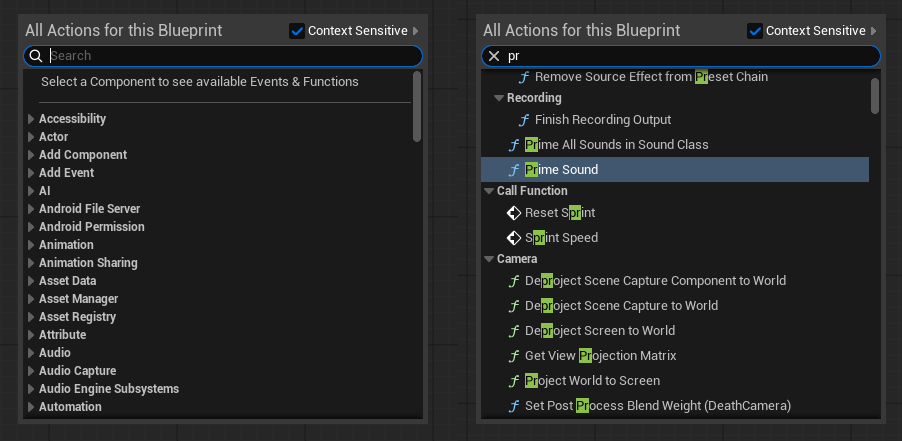
How often did you right click anywhere inside a Blueprint Graph, started to type “pr..” and expecting Print String to be the first thing the editor suggests, but no.. it instead suggests Prime Audio, Prism Sound or something else it thinks you want, and you need to type almost the whole thing out.
So here is the plan, we gonna make the editor show Print String when we type the letter “p” and have out own Favorites show up first. To do that, go to Edit – Editor Preferences and enable Show Favorites Section.

No restart required, it works right away.
We now have this tiny little star right next to everything:
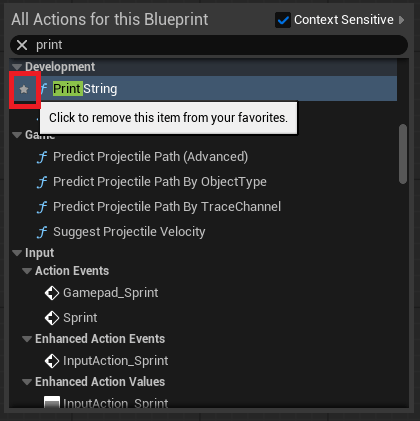
Enabling/Disabling that will allow us to add or remove stuff from out favorites menu, which shows up at the very top of the right click context menu:
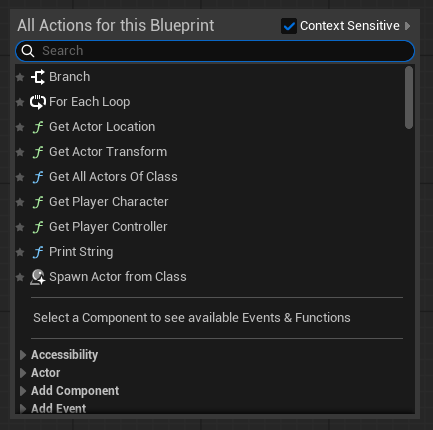
I recommend you put the most frequently used nodes as favorites, like “get actor location” or “get player controller” or something else you call constantly.
That’s it!
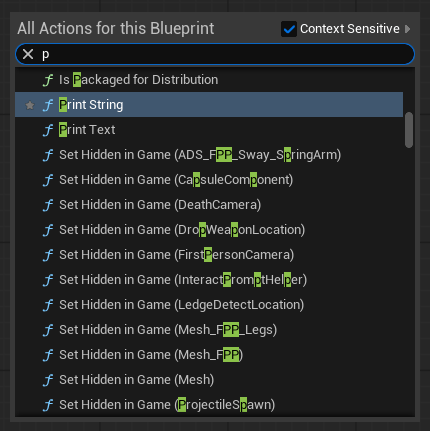
Also, it now actually shows Print String the moment we type “p“
 FPS Game Starter Kit