
In this tutorial we will add a new widget where a player can select a weapon, and then when joining a game, use that as the new starting weapon, instead of the built-in one.
1. Open BP_GameInstance and add a new variable
(Replicated_WeaponBase class, Replicated, default value can be any of the provided guns or none)
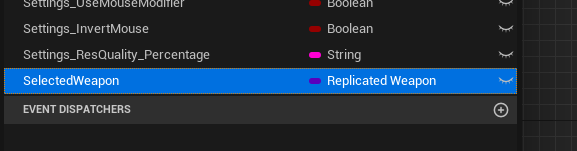
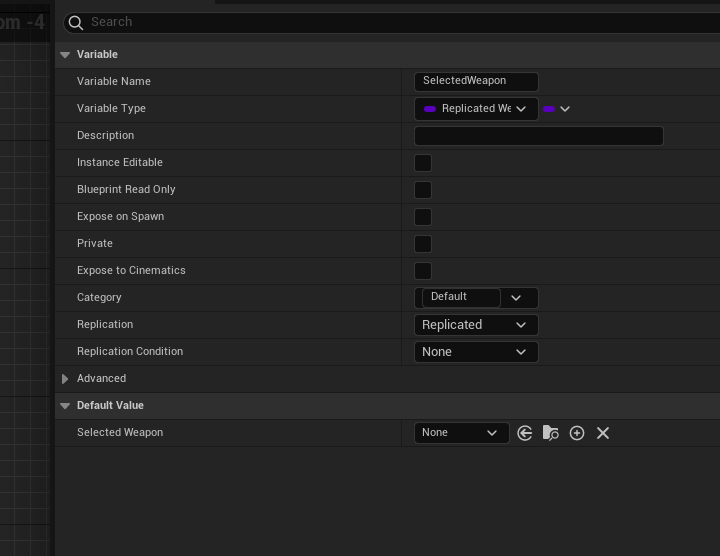
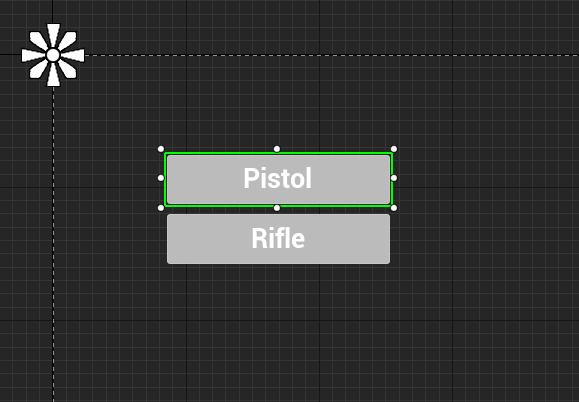
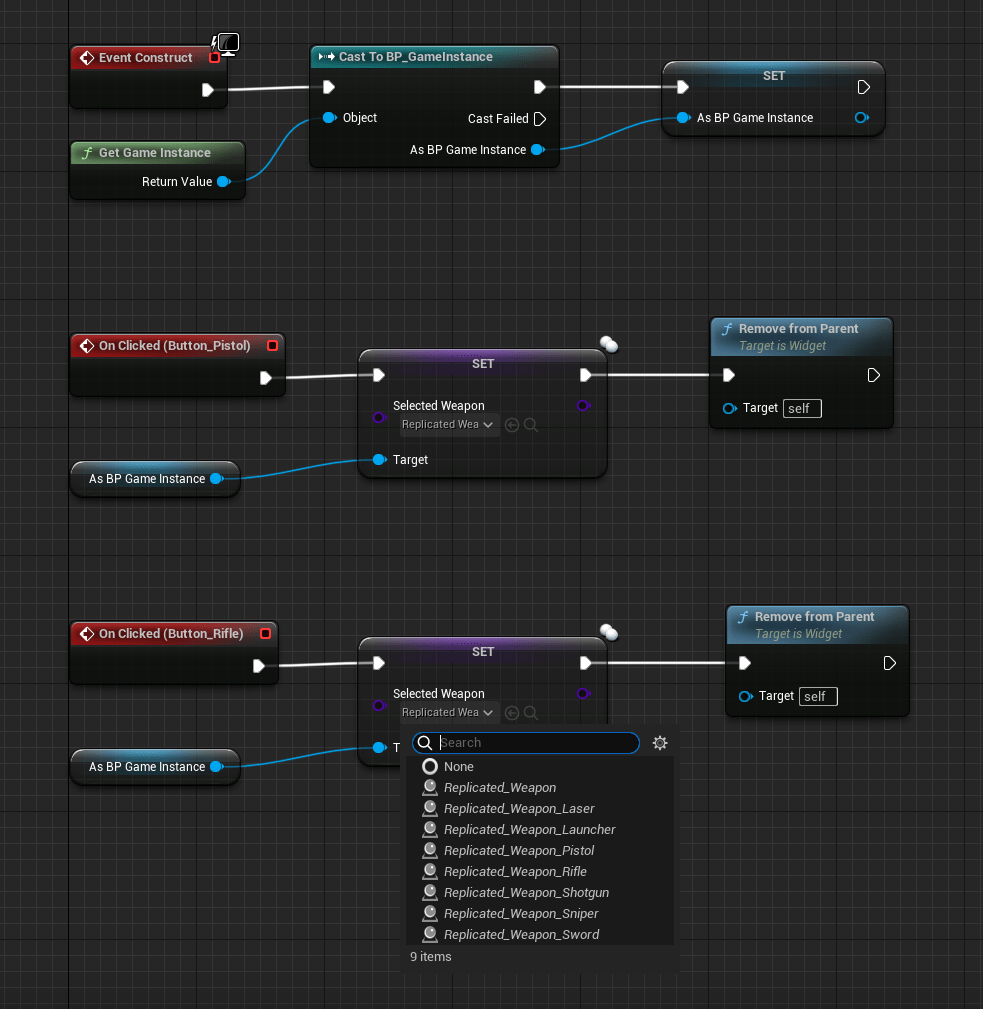
2. Create a new widget, the design of it is up to you, I just added a canvas and 2 buttons, when clicked, it will set the corresponding weapon inside game instance and remove itself from the viewport.
3. Open Replicated_CharacterBase and disconnect the starting weapon graph on begin play, replace it with a new Custom Event (RunOnServer, Reliable). While there, set the purple “DefaultWeapon” variable to be replicated.
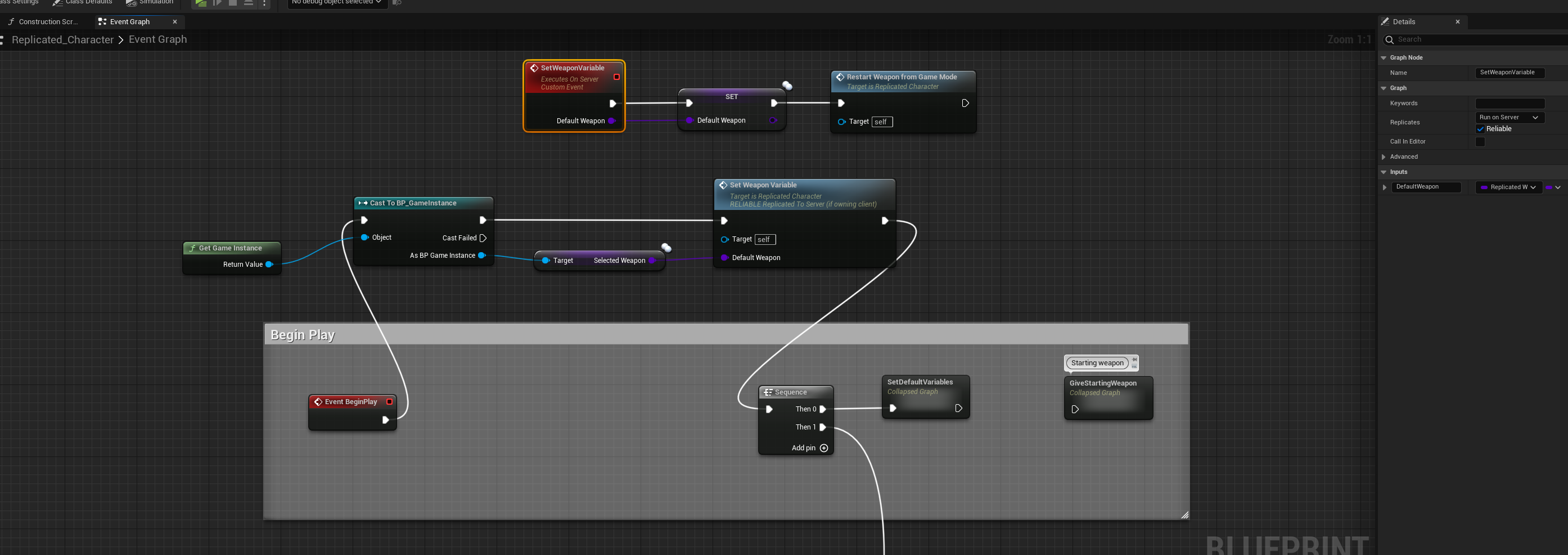
4. You can add the previously created widget anywhere in the main menu, I just added a button into the W_MultiplayerMenu widget where host and join buttons are
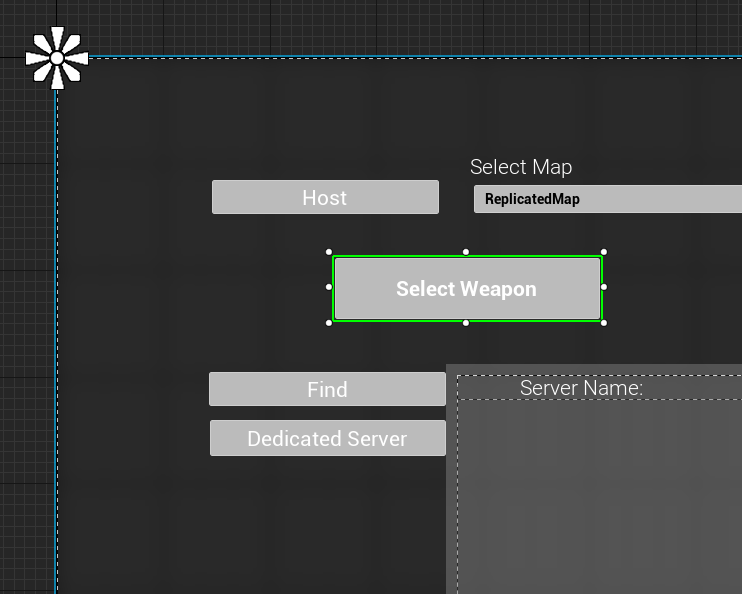
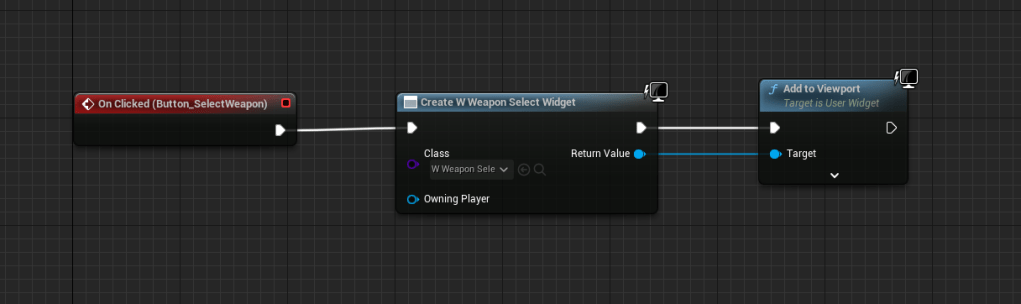
That’s it!
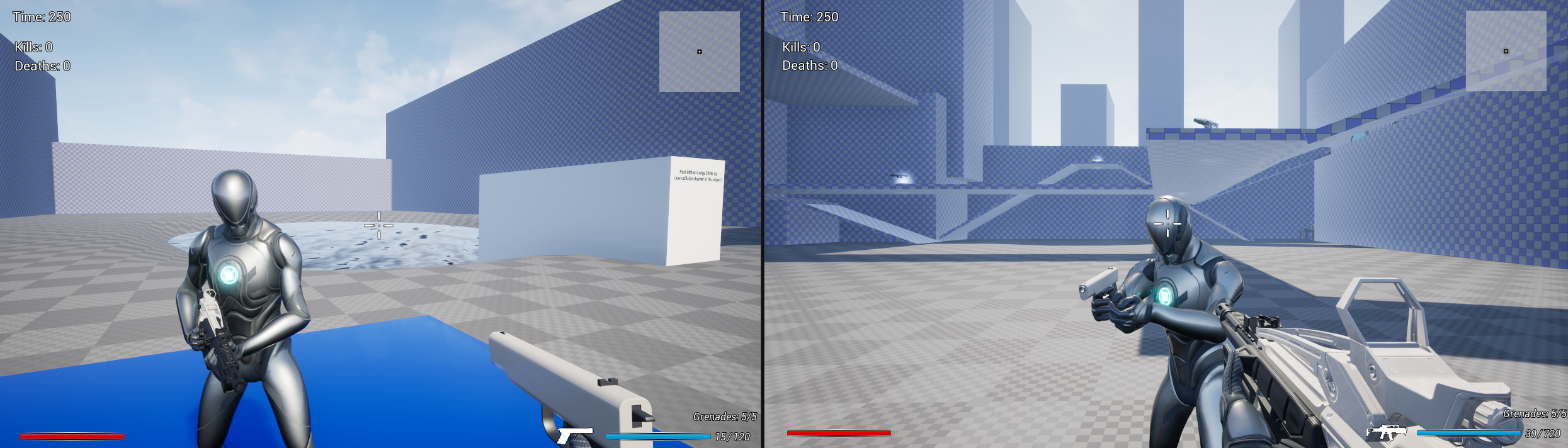
On host I selected rifle as the new starting weapon, on client before joining I selected pistol as the starting weapon. Have fun!
 FPS Game Starter Kit