
In this tutorial, we will integrate UltraDynamic Sky and also create an enemy spawner that will spawn a group of zombies when the night falls.
Preparation:
- Create a new FPS Game Starter Kit project
- Add Ultra Dynamic Sky into it
- Remove all lighting related stuff from the ReplicatedMap (directional light, sky light, etc.)
Tutorial:
4. With a completely dark map, add Ultra Dynamic Sky blueprint into the level and enable day night cycle (tweak the values for how long day and night should be, in the image they will change rather fast, to make testing faster).

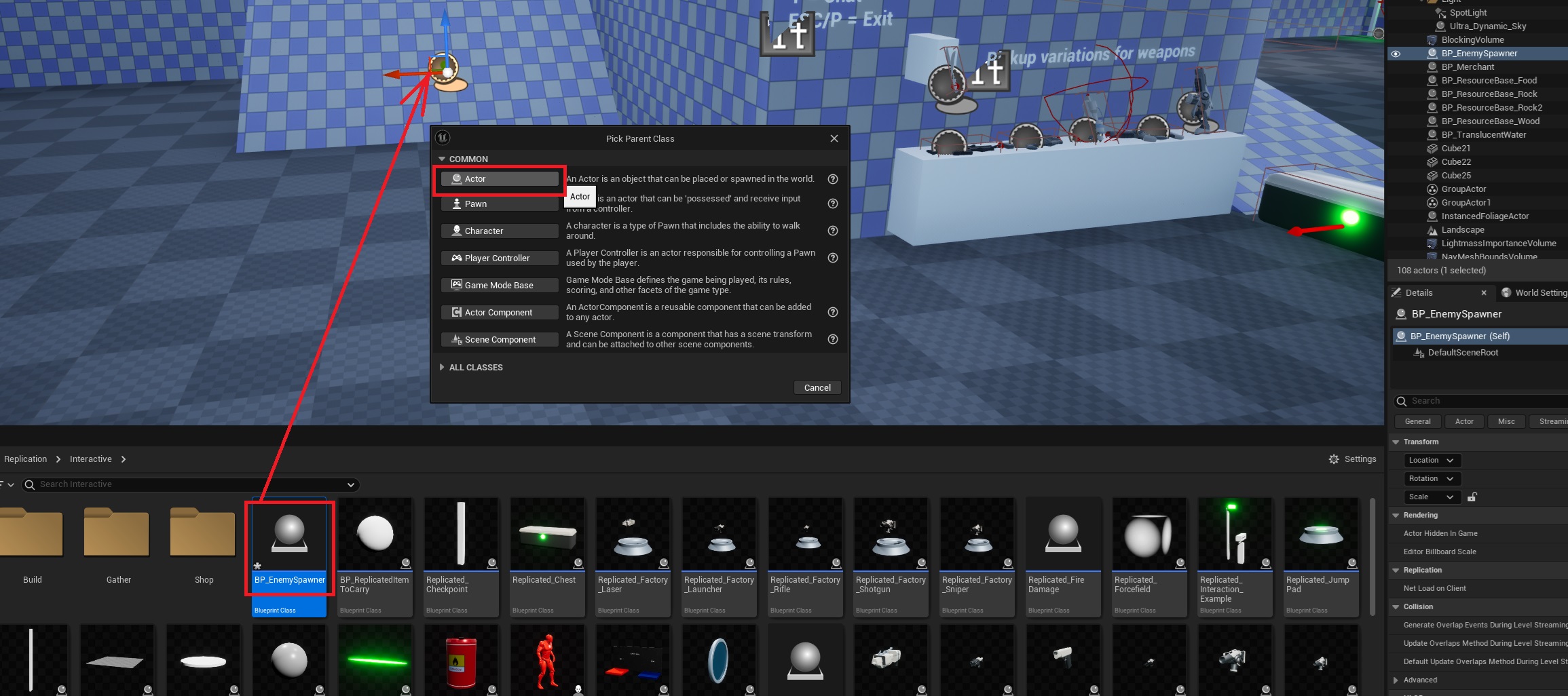
5. Next step is to create a new blueprint actor, this will be the enemy spawner.
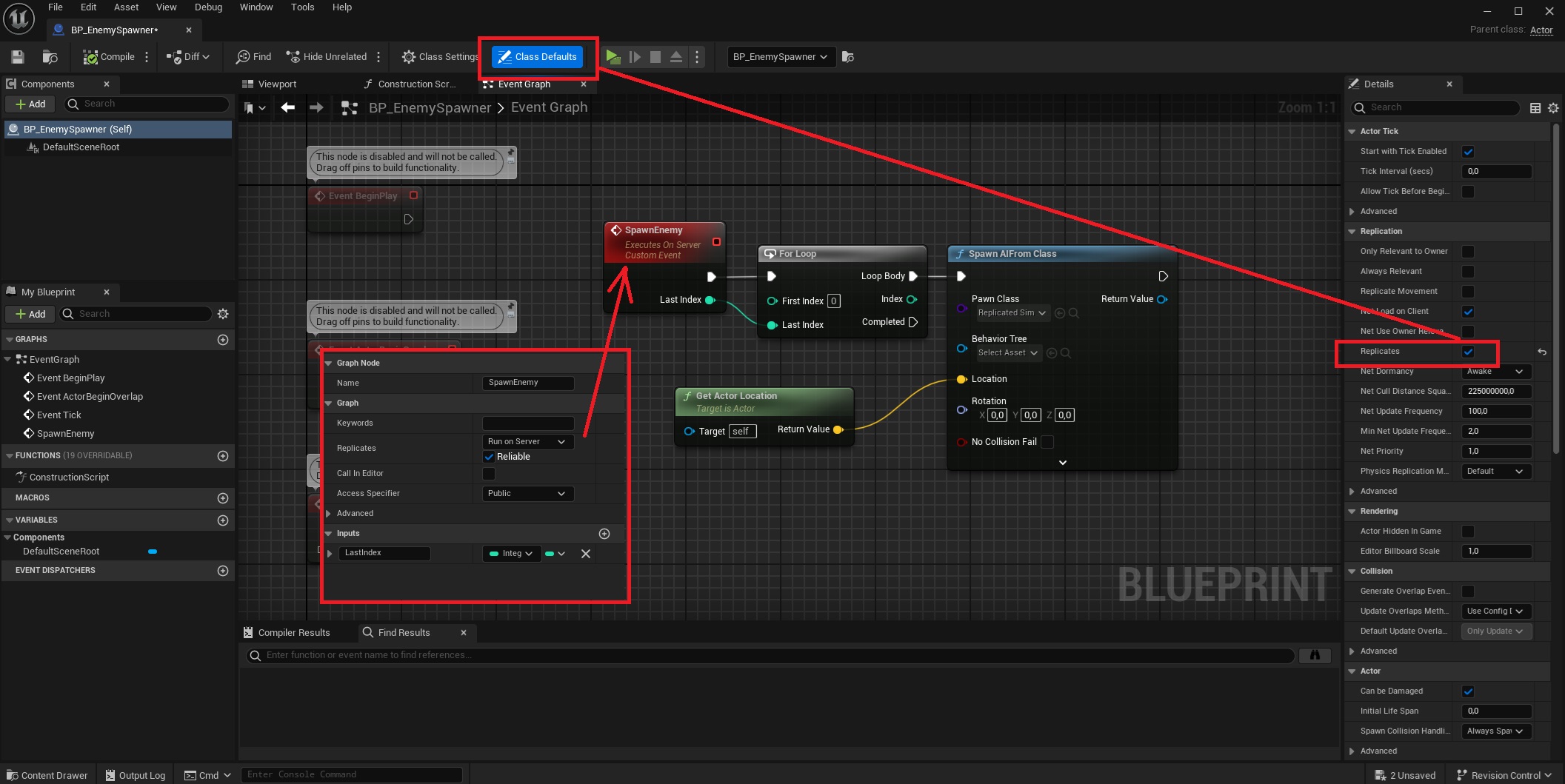
Inside the enemy spawner, create a new Custom Event, make it run on server, also in its class defaults set it to be Replicated.
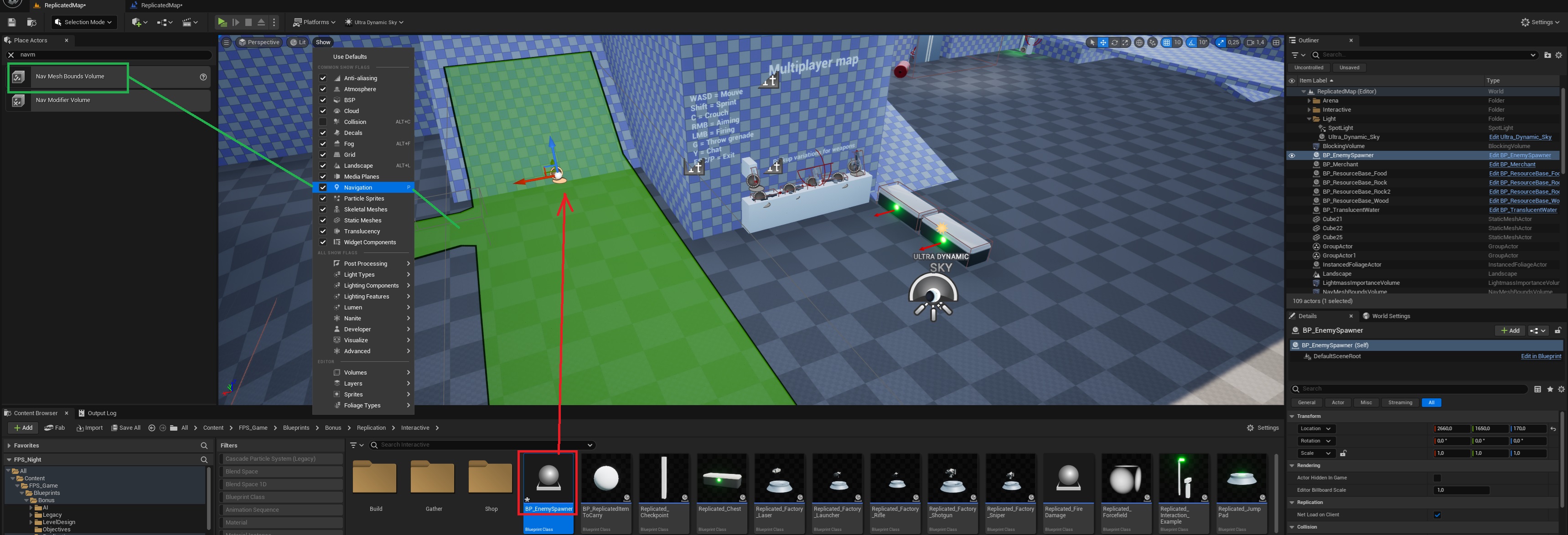
6. Make sure the enemy spawner is in an area where enemies will be able to walk, if your map doesn’t have it already, add NavMeshBoundsVolume to it.
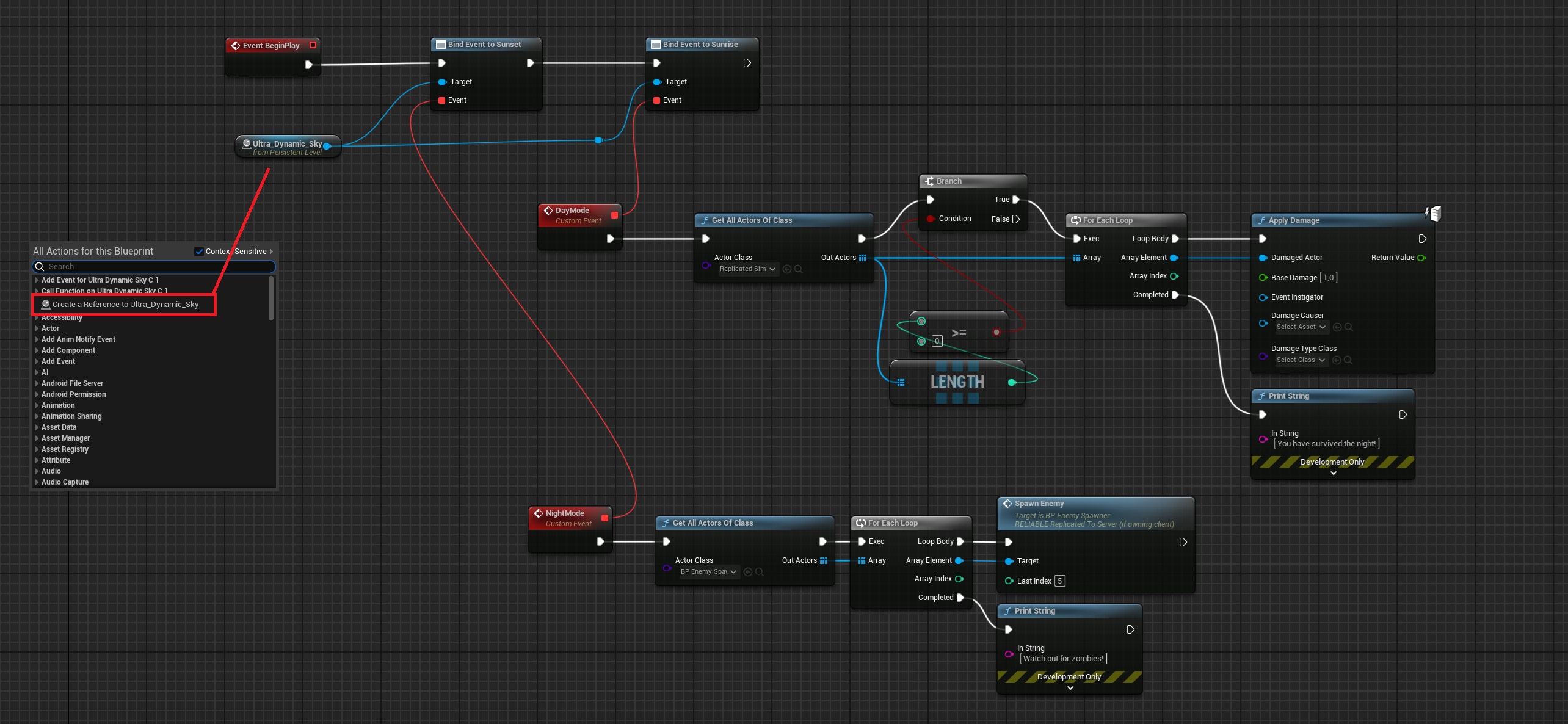
7. Click on the Ultra Dynamic Sky blueprint that’s in the level, with it selected, open the Level Blueprint and recreate this graph.
Level Blueprint:
That’s it!
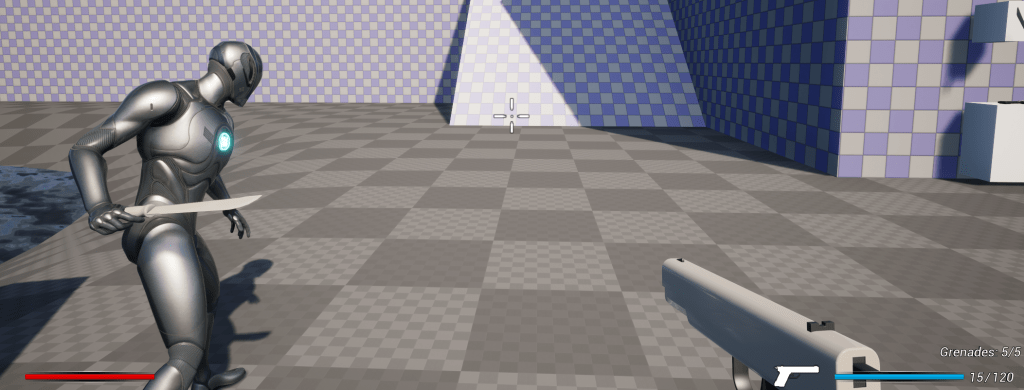
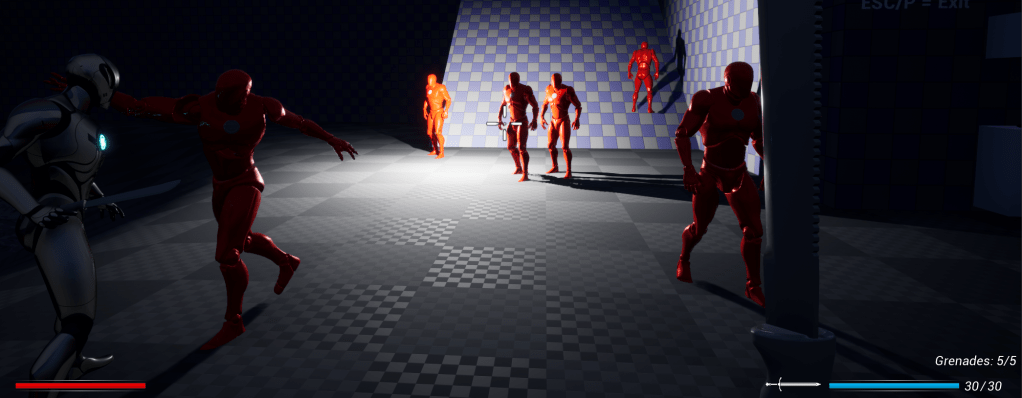
During day time everything is fine, players can run around collecting resources, etc., but when the night falls, it will spawn a group of enemies (Replicated_SimplePrototypingZombie in this case), if there are some enemies still alive by morning, the sun will kill them. Process repeats for the next day.
 FPS Game Starter Kit